Enabling texts is optional. Daily dinner texts are a feature of Chef Amí Premium that a subscriber can choose to turn on. Turning them on is a separate, voluntary step — you can subscribe to and use Chef Amí Premium without ever enabling texts, and consenting to receive texts is never a condition of any purchase.
What you receive
Once you opt in, Chef Amí sends a short daily message with a dinner idea made for you — the kind of gentle nudge that turns the five o'clock question into an easy answer. You stay in control: reply to swap an idea, or reply STOP at any time to end the texts. Message frequency varies, up to one per day plus replies.
How to sign up
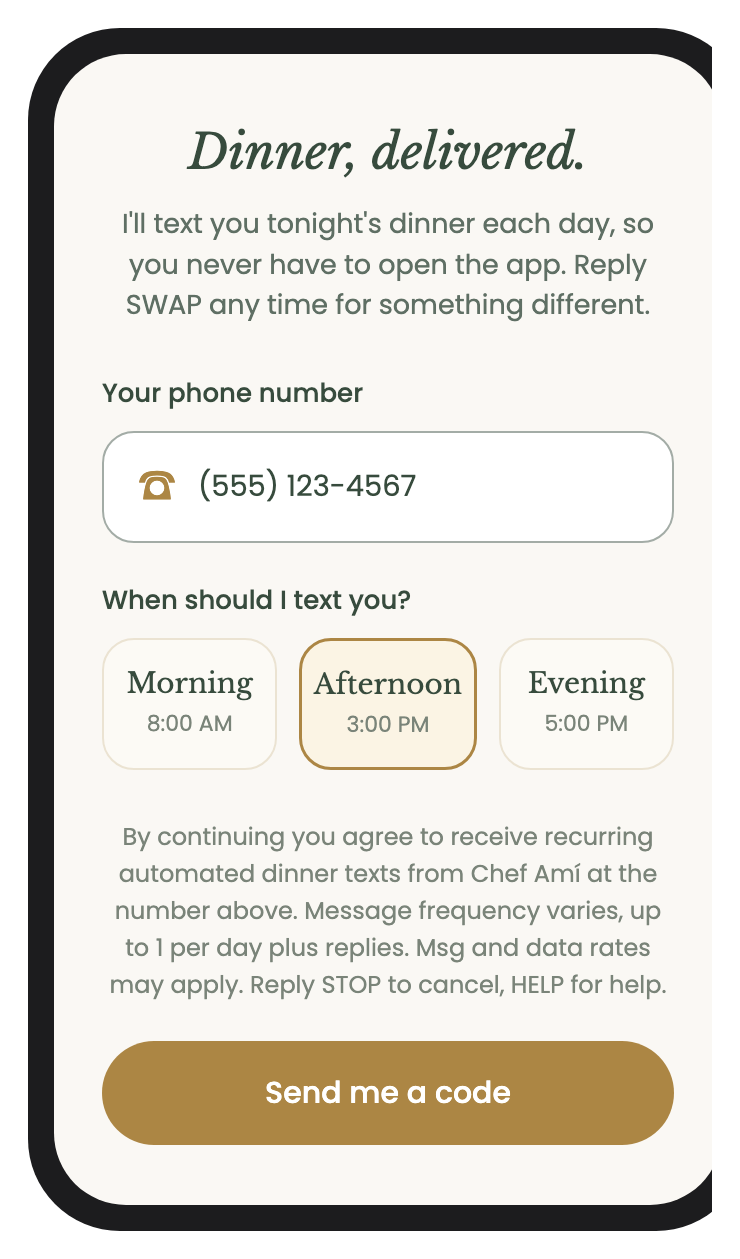
Daily dinner texts are available to Chef Amí Premium subscribers, and turning them on is a double opt-in — you enter your number, then confirm with a code we text you, so the texts only ever start when you say so.
- As a Chef Amí Premium subscriber, open Settings › Daily Dinner Texts in the iOS app.
- Enter your mobile number.
- Tap “Send me a code.”
- Enter the 6-digit code we text you to confirm.
The opt-in screen
Consent
Consent to receive these texts is not required to purchase or use Chef Amí, and is not a condition of any service or transaction. You can stop at any time by replying STOP.
For more on how we handle your information, read our Privacy Policy and Terms of Service.